
Woking planning portal links: search at caps.woking.gov.uk, comment with no account via an emailed code, apply on Planning Portal. 21 days to comment.
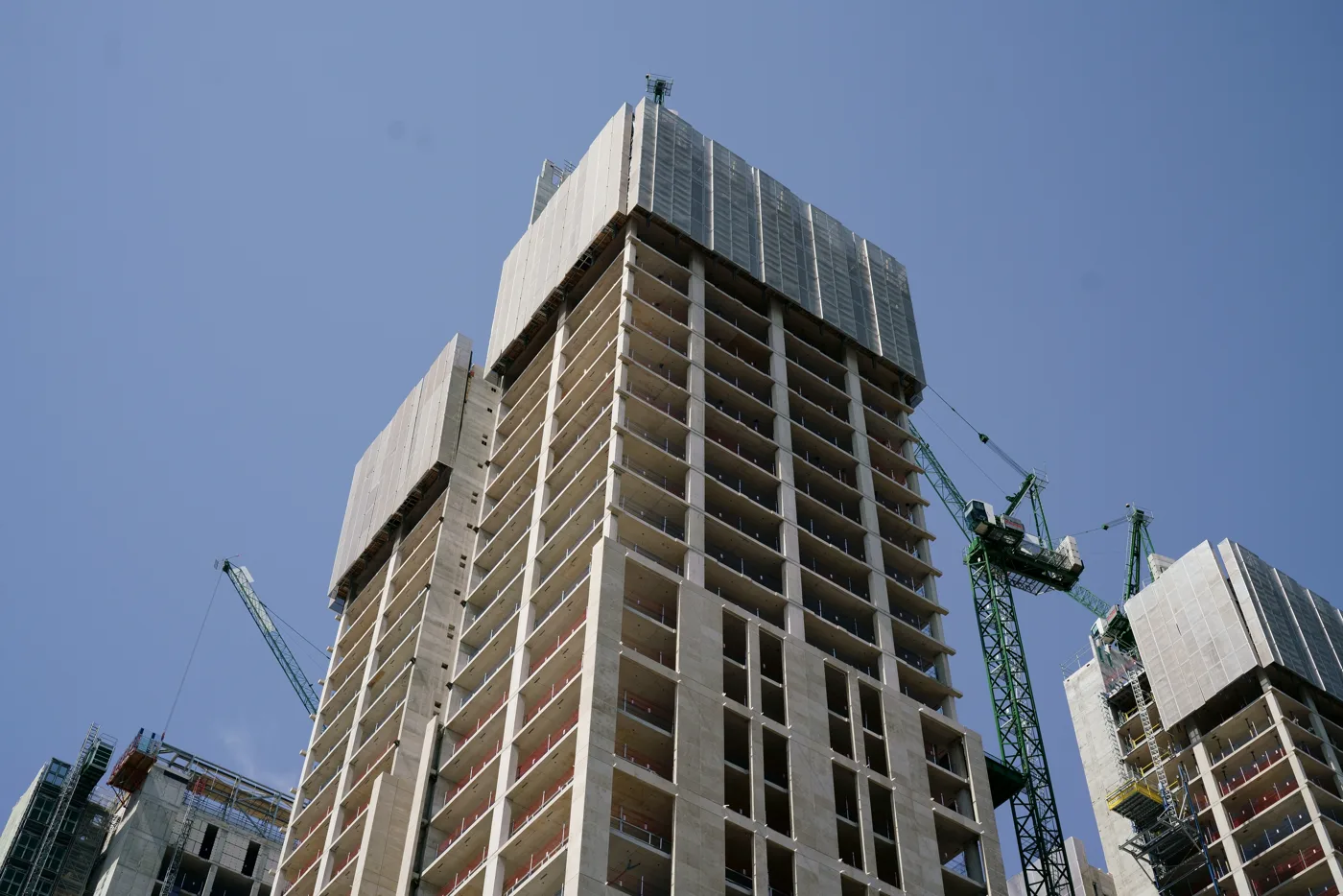
Every one of the Woking planning applications submitted in the borough, from a rear extension in Knaphill to a twenty storey tower in the town centre, sits on one free public register that anyone can search without an account. Most people only discover a scheme once the hoardings go up, by which point the window to say anything useful has closed. The Woking planning portal is that register, at caps.woking.gov.uk; new applications are submitted separately, through the national Planning Portal. This page covers where the register is, how to read a reference number, how long you actually get to comment, what the council will and will not take into account, and how to claim the right to speak in front of the Planning Committee.
Woking planning portal: search, comment and submit, with the direct links
Two different websites get called “the Woking planning portal”, and they do different jobs. Checked on 30 September 2026.
| You want to | Use | Direct link |
|---|---|---|
| Search or track an application | Woking Borough Council's planning register (Idox Public Access) | caps.woking.gov.uk/online-applications |
| See this week's new applications | The register's weekly list | Weekly list |
| Comment on an application | The "Make a Comment" tab on that application in the council register | Via caps.woking.gov.uk |
| Submit a new application | Planning Portal, the national service | planningportal.co.uk |
| Work out the fee | Planning Portal fee calculator | Fee calculator |
| Check what the council needs with an application | Woking's validation checklist | Submit an application |
Searching the Woking planning portal
Go to caps.woking.gov.uk/online-applications,
accept the copyright notice, and type a reference (such as PLAN/2026/0651), a street or
a postcode into Simple Search. The Property Search tab lists every application
ever made at one address. Weekly/Monthly Lists shows what was validated or decided in a
given week. You do not need an account to look. A free Register link at the top gives
you saved searches, email alerts and tracked applications. Step-by-step detail and the
traps are further down this page.
Commenting on the Woking planning portal
Open the application and click the Make a Comment tab. You do not need an account: the form says “If you are not signed in, you will need to enter a one-time-password which is sent to the email you provide”. You give your contact details, choose whether you support, object or are neutral, and write your comment, “highlighting material considerations”.
Three things the form tells you that most people miss:
- Your name, address and contact details are not published, but the text of your comment is, and it goes up automatically: “Comments are not moderated and will be published online automatically”.
- So do not put personal information in the comment box, yours or anyone else’s.
- Online beats email. A banner on the council’s planning pages says it is dealing with several large applications with heavy public comment, and that emailed comments “can take up to 10 working days to appear on the Planning Register”, so it recommends commenting online (Woking Borough Council).
You get 21 days from the start of consultation. The council says it will still accept comments after that “if the application is still under consideration”.
Submitting a planning application in Woking
Woking does not take new applications through its own register. The council’s submit an application page sends you to the Planning Portal, where you fill in the form, upload plans, and pay the fee at the point of submission. The Planning Portal’s own help centre handles problems with the form, on 0333 323 4589.
Before you press submit, check the council’s validation checklist on that page. The most common reasons Woking lists for an invalid application are an unpaid or wrong fee, a missing Community Infrastructure Levy additional information form (compulsory on every full, householder and outline application, even with no new floor space), drawings with no scale bar or marked “do not scale”, the wrong form, and the wrong address. If yours is invalid you get 28 days to supply what is missing, after which the council takes no further action. Fees rose on 1 April 2025; the Planning Portal fee calculator works out yours.
Once it is valid, the application appears on the Woking planning portal with its own reference, and neighbours get their 21 days.
Where Woking planning applications live
The council runs an Idox Public Access portal, and it is the single place everything lands:
No login is needed to look. You get the drawings, the officer reports, the consultation dates, the case officer and any comments already submitted. The council asks you to agree to a copyright notice before searching, which reflects that plans and drawings remain protected under the Copyright, Designs and Patents Act 1988: you may download and print them for consultation purposes, but not copy them further without the copyright owner’s permission (review or comment on an application).
If you would rather not run a search at all, open the weekly list and pick a week. It shows everything validated or decided across the borough in that week, and you can narrow it to a single ward: Byfleet and West Byfleet, Canalside, Goldsworth Park, Heathlands, Hoe Valley, Horsell, Knaphill, Mount Hermon, Pyrford or St Johns.
How to read a Woking reference number
Woking references carry a prefix that tells you what kind of case it is before you open anything. Taking real examples from a single recent week:
PLAN/2026/0553, a full planning application, in this case a single storey rear extension in Woking.TREE/2026/8182, works to trees, here a crown reduction to a mature oak.COND/2026/0089, approval of details reserved by condition on an earlier permission.
The four digit block is the running number for the year, so PLAN/2025/0905 is a 2025 case still working through the system. If you only know the address, the property search will find it without the reference.
What the Woking planning portal changed on 2 September 2026
If you have commented on an application before, the rules on what the public sees have moved. A notice on the front of the portal records the decision:
On 14 July 2026 the council’s Planning Committee determined that names and addresses of comments and correspondents relating to planning applications will no longer be published on the planning register. This was implemented effective 2 September 2026.
In practice that means the substance of a comment is still public, but the name and address behind it are not. Anything published before 2 September is a separate question: the notice describes a change to what is published going forward, and the council has not said whether older representations have been redacted retrospectively. If that matters to you, check the Documents tab of the specific case rather than assuming either way.
It does not change what the council will take into account. Anonymous comments are still disregarded; the council still needs your name and address, it simply no longer shows them.
Four registers sit behind one portal, and most people only use one
The top navigation offers Planning and Building Control as separate systems, and inside the planning side the Advanced search carries four tabs that search different records:
- Applications Search, the one everybody uses.
- Appeals Search, for cases that have gone to the Planning Inspectorate. An appeal will not show up in a plain applications search result the way you expect, which is why a refused scheme can look settled when it is not.
- Enforcements Search, alongside the separate Register of Enforcement Notices described below.
- Weekly and Monthly Lists, Property and Map search.
The Advanced search also filters by case status, and the list of statuses is more informative than the search box suggests: Appeal decided, Appeal lodged, Awaiting decision, CONFIDENTIAL, Decided, Going to Committee, Pending Consideration, and Permitted subject to a legal agreement. Filtering on Going to Committee is the quickest way to see what is heading for a public vote rather than an officer’s desk.
Three portal traps worth knowing before you search
The weekly list is a rolling window, not an archive. On 20 September 2026 it offered only 16 weeks, from the week beginning 1 June 2026 to the week beginning 14 September 2026. Anything older has dropped off it. Use the Monthly List search, or the Property tab, for earlier cases.
A ward filter can silently miss cases. The ward dropdown carries the ten real Woking wards and two others: Outside Borough, and Dummy Ward For Cases With Dummy UPRN, which is where cases land when the address has not been matched to a property record. A search narrowed to Horsell or Knaphill will not return anything sitting in either of those, so run an unfiltered search as well if the result looks thin.
The map does not show everything at every zoom level. The council posts its own warning on the portal front page: some cases only appear when the map is viewed at a certain zoom, an area can look empty when it is not, and it has asked its software supplier to fix it. Treat the map as a browsing aid and the text search as the register.
Searching the portal, step by step
- Open caps.woking.gov.uk/online-applications and accept the copyright notice.
- Use Simple Search for a quick look, or Advanced Search to filter by ward, date range or application type.
- To see the history of a specific address, use the Property tab in Simple Search, enter the postcode and pick the property from the list. That gives you every application ever made there, which is the check to run before you buy.
- Open a case and use the Documents tab for drawings and reports, and the Comments tab for representations.
- Note the case officer, the target decision date and the consultation deadline on the summary page.
Registering a free account is worth two minutes of your time. It lets you save a search, typically your street, postcode or ward, and be emailed when anything new matches, and it lets you track individual applications. Setting that up once beats remembering to check the weekly list every Monday, which nobody does for long.
How long you get to comment
You get a statutory 21 day consultation period. The council is specific about the mechanics: the online comments facility on Public Access is open for those 21 days and then closes. Comments received during that window are all considered (review or comment on an application).
Once the online facility has shut, you have not necessarily missed your chance. The council states that comments made after it closes can still be submitted by post or email, and in practice a case officer will take account of points that arrive before the decision is made. It is far better not to test that, though: the deadline shown on the application page is the one to work to.
Not everyone gets a letter. Neighbours in the immediate vicinity are usually notified directly, and larger or more sensitive schemes also get a site notice and sometimes a press notice. The council publishes its publicity and neighbour notification approach alongside its description of the process.
What actually counts in a comment
Two things determine whether an objection carries weight: what it says, and whether it says it in planning terms.
A planning decision can only turn on material planning considerations. Points that carry weight include the effect on neighbours’ light and privacy, highway safety and parking, design and the character of the area, noise, loss of trees or green space, drainage and flooding, and conflict with the council’s planning policies. Points that carry little or none include loss of a private view, the effect on your property’s value, competition with an existing business, and who the applicant is.
Three practical rules from the council’s own guidance:
- Your comment becomes public. Comments submitted online appear on the Comments tab, and all comments can be read on the Documents tab.
- Abuse is ignored. Online comments now publish automatically without moderation, but anything offensive or abusive is disregarded when the application is decided, and can be reported.
- Quality beats volume. A handful of specific, policy grounded objections generally does more than a hundred identical copy pasted ones, though the raw count does matter for one particular reason, explained below.
Who decides, and how long it takes
Most applications never reach a politician. They are determined by planning officers under delegated authority. The council says it aims to decide applications within 8 weeks, with longer targets for some types: 13 weeks for major developments, 16 weeks for applications with an Environmental Impact Assessment, and 42 days for prior notifications of larger home extensions. A case officer is assigned when the application arrives, visits the site if necessary, and may suggest minor revisions before writing a report recommending approval or refusal, which an authorised officer then reviews (about the planning process).
The rest go to the Planning Committee, which the council says meets every month except May and August, in public, and is webcast. Recent meetings have run on 10 February, 10 March, 14 April, 2 June and 14 July 2026, with the next scheduled for 1 September 2026 and an extraordinary meeting on 15 September. Agendas, reports and minutes are all published on the council’s Planning Committee page.
The July 2026 agenda gives a fair sense of what reaches committee rather than being decided by an officer: Briarwood Nursery at 145 Saunders Lane, 46 Cavendish Road, and Nottingham Court on Robin Hood Road in St Johns were all listed for determination. Each can be looked up by reference or address on the portal.
If you want an enquiry answered on a live application, it goes to the case officer named on the portal, or you can ring the planning team on 01483 743 843.
The right to speak at committee
This is the part most residents do not know exists. Woking lets members of the public speak at Planning Committee, but only where the case meets one of its criteria (speak at a Planning Committee meeting).
The rules have changed, and the threshold is lower than it was. Re-read on 30 September 2026, the council’s page says you can speak about an application on the agenda if it has attracted 5 or more representations against the planning officer’s recommendation, received at least 14 days before the meeting or before the 21-day consultation ended. Earlier this year the council’s guidance set the bar at 10 or more individual objections. Because the test is now “against the recommendation”, supporters can qualify too when an officer recommends refusal. A petition counts as one representation, and only one per household is counted, so five separate households writing in beat one sheet with a hundred signatures. The number of comments does not decide whether a case goes to committee; it only decides whether the public can speak once it is there.
You also have the right to speak regardless of the count where the application raises major policy issues, requires an environmental statement, is major commercial development over 2,500 square metres, or is residential development of more than 50 dwellings (outline or detailed, not reserved matters).
The mechanics are strict. Register by leaving a message on the Democratic Services answerphone on 01483 743 014, quoting the application reference, your name and your contact details. The line is open from 9am the day after the agenda is published until 4pm on the Monday before the meeting. Only one representative of the objectors and one of the supporters, applicant or agent speak, and others are asked to combine their points with that person. The objectors’ representative speaks first, then the supporter, agent or applicant, with three minutes each. If one side’s speaker fails to appear, the other side still speaks. Any documents you want to show must reach the Democratic Services Officer by noon on the day, and the right to speak only applies the first time the committee considers the application.
Enforcement: when work happens without permission
If a building goes up that you do not think has permission, or a condition is being ignored, the council keeps a searchable Register of Enforcement Notices covering notices served since 1955, including listed building enforcement notices, stop notices, temporary stop notices and breach of condition notices. It does not list cases where no notice has been served. The search accepts wildcards, so ENF*00089 or *Princess Road* both work. Reports go to planningenforcement@woking.gov.uk or Planning Enforcement, Woking Borough Council, Civic Offices, Gloucester Square, Woking GU21 6YL.
One change worth knowing about
The authority deciding these applications is being replaced. Under the Surrey (Structural Changes) Order 2026, Woking Borough Council and its neighbours give way to a new West Surrey Council on 1 April 2027 (the council on the transition). Until then nothing on this page changes: applications are still validated, consulted on and determined by Woking Borough Council, on the portal above. What happens to the planning register and the committee structure after vesting day has not yet been published, so watch the shadow authority papers rather than assuming. The bigger strategic picture, the new Local Plan that must find room for 12,656 homes by 2044 and its consultation dates, is covered in our Woking planning news.
Frequently asked questions
What is the Woking planning portal?
It is Woking Borough Council’s online planning register at caps.woking.gov.uk/online-applications, where you search, track and comment on applications, appeals and enforcement cases. New applications are submitted separately, on the national Planning Portal.
Do I need an account to comment on a Woking planning application?
No. Open the application’s Make a Comment tab, enter your details, and confirm with a one-time password sent to your email. Your name and address are not published, but your comment text is, automatically and without moderation.
How do I submit a planning application to Woking Borough Council?
Online through the Planning Portal, which calculates the fee and takes payment when you submit. Check Woking’s validation checklist first: a missing Community Infrastructure Levy form, an unpaid fee or unscaled drawings will make it invalid, and you then have 28 days to fix it.
How do I find planning applications in Woking?
Search the council’s Public Access portal at caps.woking.gov.uk/online-applications by address, postcode or reference. No account is needed to view. The weekly list shows everything validated or decided in a given week, and can be filtered to a single ward.
How long do I have to comment on a Woking planning application?
Twenty one days, the statutory consultation period. The online comments facility closes at the end of it. After that you can still write by post or email, and points that arrive before the decision is made are normally taken into account, but the published deadline is the one to work to.
Can I speak against an application at Woking’s Planning Committee?
Yes, if the application has attracted 5 or more representations against the officer’s recommendation at least 14 days before the meeting, or if it raises major policy issues, needs an environmental statement, is commercial development over 2,500 square metres, or is more than 50 homes. Register on the Democratic Services answerphone, 01483 743 014, and you get three minutes.
How long does a planning decision take in Woking?
The council aims to decide most applications within 8 weeks, mostly by planning officers under delegated authority. Major developments have 13 weeks, Environmental Impact Assessment cases 16 weeks, and larger home extension prior notifications 42 days. The Planning Committee meets monthly except in May and August.
Are comments on Woking planning applications public?
The wording of a comment is, but since 2 September 2026 the names and addresses of the people who made them are not. Woking’s Planning Committee decided on 14 July 2026 to stop publishing them on the register, and the portal carries the notice. You still have to give the council your name and address, because anonymous comments are disregarded. Offensive or discriminatory comments are removed and disregarded too.
Are planning appeals on the Woking planning portal?
Yes, on their own tab. The Advanced search has a separate Appeals Search alongside Applications and Enforcements, and the case status filter carries both Appeal lodged and Appeal decided. A refused application that has been appealed will not look live in an ordinary applications search, so check the status before assuming a scheme is dead.
How far back does the Woking weekly list go?
Sixteen weeks. On 20 September 2026 the oldest week on offer was the week beginning 1 June 2026. For anything earlier, use the Monthly List search or search the address on the Property tab, which returns every application ever made there.
What do the Woking planning reference prefixes mean?
PLAN is a planning application, TREE covers works to trees, and COND is approval of details reserved by a condition on an earlier permission. The year and a running number follow, as in PLAN/2026/0553.
Sources
- Woking Borough Council, submit an application, and the Make a Comment tab on a live application, read on 30 September 2026 for the Planning Portal route, the invalid-application reasons, the 28 day window and the one-time password comment form
- Woking Borough Council, Public Access planning portal and its weekly list, read on 20 September 2026 for the 2 September change to published names and addresses, the map zoom warning, the case status and ward filters and the 16 week weekly list window
- Woking Borough Council, review or comment on an application, for the copyright notice, the 21 day online comments window, publication of comments and the enforcement register
- Woking Borough Council, how and when decisions are made, for the 21 day consultation, the 8, 13, 16 week and 42 day decision targets, delegated authority and the monthly committee cycle (none in May or August), re-read 30 September 2026
- Woking Borough Council, speak at a Planning Committee meeting, for the 5 representation threshold (re-read 30 September 2026; it was 10 objections when first checked in August), the qualifying application types and the registration process
- Woking Borough Council, Planning Committee meetings, agendas and minutes
- Woking Borough Council, planning for the new Surrey councils
Details were checked against the council’s planning pages and the live portal in August 2026, and the portal itself was re-read on 20 September 2026. Consultation deadlines and application statuses change daily, so always confirm on Public Access before relying on a date. Our guides to Woking council tax bands and parking in Woking cover the other council matters residents ask about most, and Woking Online carries the day’s local news.
Have your say